

POS skills are the practical abilities needed to enter an accurate sale, follow the approved payment workflow, handle exceptions within assigned permissions, and check the checkout equipment before escalating a problem.
An employee who can complete a straightforward purchase may still need training on refunds, an interrupted payment, a scanner that sends incorrect data, or a receipt printer that stops responding.
For retail operators, distributors and POS integrators, the useful question is: Can the employee complete the required tasks correctly on the workstation they will actually use?
Key Takeaways
·Transaction processing: Employees must enter orders, scan products, verify totals, and confirm payment status correctly.
·Hardware operation: Staff should know how to use the POS touchscreen, barcode scanner, receipt printer, and cash drawer.
·Exception handling: Returns, discounts, failed payments, and incorrect orders require approved procedures and authorization.
·Security and accountability: Each employee should understand login permissions, transaction records, and shift handover requirements.
·Practical assessment: Training should include real transaction simulations, hardware checks, and recovery procedures before employees operate independently.
What Are POS Skills?
POS skills refer to the knowledge and practical ability required to use point-of-sale software and connected hardware during daily business operations.
They include operating the checkout interface, handling transactions, using peripherals, responding to common equipment problems, and following company procedures.
POS proficiency is not limited to pressing buttons on a touchscreen. Employees must understand how their actions affect transaction accuracy, payment confirmation, receipt output, and shift records.
POS Skills vs. POS Hardware Knowledge
POS software controls transaction workflows, product records, discounts, user permissions, and reporting functions.
POS hardware provides the physical equipment used to interact with the application, including touchscreen terminals, barcode scanners, receipt printers, and cash drawers.
A trained employee needs to understand how the two work together.
MINJCODE manufactures POS hardware. Software functions, payment processing, and staff management capabilities depend on the compatible applications and service providers selected by the business.

The 4 Core POS Skills Every Employee Must Master
Efficiently managing supermarket pos system requires a blend of technical and soft skills, aimed at enhancing customer interactions and streamlining business operations. Below are the essential skills to prioritize and corresponding employee training directions:
1. Technical Proficiency
Technical proficiency forms the foundation for effective POS system usage, directly impacting transaction processing efficiency and accuracy.
·System Navigation: Team members must master POS software operations, including entering sales data, querying menus/products, and modifying orders. Fluent navigation ensures swift and accurate transaction completion, making regular hands-on training essential to elevate operational proficiency.
·Troubleshooting: Staff must understand how to resolve common technical issues, such as printer malfunctions and software glitches. Simulating typical faults helps employees become familiar with resolution procedures, minimizing service disruptions during peak hours and ensuring operational continuity.
2. Data Analysis Skills
The POS system serves not only as a transaction tool but also as a vital platform for data-driven business strategy, enabling precise operational direction.
·Sales Tracking: Staff should regularly review daily sales reports, analyze data to identify peak periods and sales trends, thereby optimizing staffing and inventory management to avoid understaffing during busy times or overstaffing during slow periods.
·Customer Preference Analysis: Utilize POS data to track customer purchasing behavior and preferences, then adjust menu/product offerings and promotional activities based on these insights. For example, exclusive offers for popular items can be introduced to further boost sales.
3. Customer Management Capabilities
Optimizing customer management through POS systems enhances service quality, making each transaction interaction smoother.
·Transaction Processing: Staff must maintain fast and accurate transaction processing during peak hours to reduce customer wait times and queue congestion. Regular training ensures employees stay updated on software updates and payment process changes, enhancing operational proficiency.
·Returns, Exchanges, and Discount Processing: Staff must master return/exchange procedures and discount application methods to efficiently meet customer needs while adhering to company policies. Role-playing and hands-on training build confidence in handling such scenarios, balancing service quality with policy compliance.
4. Security Awareness
In high-transaction environments, safeguarding corporate data and customer information is paramount. Therefore, enhancing employees' security awareness is essential.
·Data Security: Conduct regular data security training to teach employees critical skills such as secure login procedures and phishing attack identification. Integrate data security into daily employee development plans to ensure all staff master protocols for handling sensitive information.
·Privacy Protection Training: Educate employees on the importance of safeguarding customer privacy, the legal consequences of data breaches, and preventive measures. Implement regular communication and training to cultivate a team-wide privacy protection mindset and security culture.
POS Skills by Employee Role
Not every employee requires the same level of access or technical knowledge.
|
Employee Role |
Required Skills |
Advanced Responsibilities |
|
Cashier / Frontline Staff |
Sales, scanning, receipt printing, basic checks |
Report unresolved exceptions |
|
Restaurant Server |
Order entry, modifiers, table assignment |
Coordinate order corrections |
|
Shift Supervisor |
All frontline functions |
Authorized refunds, shift reconciliation, escalation |
|
Store Manager |
Transaction oversight |
Reporting, training approval, process review |
|
IT / System Integrator |
Device configuration and connectivity |
Drivers, firmware, integration testing and deployment |
A cashier should not be expected to repair a mainboard or configure a payment gateway.
Likewise, a POS hardware manufacturer should not be assumed to manage staff accounts, customer records, or payment settlement.
Clear responsibilities reduce confusion when an operational problem occurs.
How to Train Employees on a POS System
POS training should use the same application version, device configuration, and peripherals that employees will use during actual operations.
Step 1: Introduce the POS Workstation
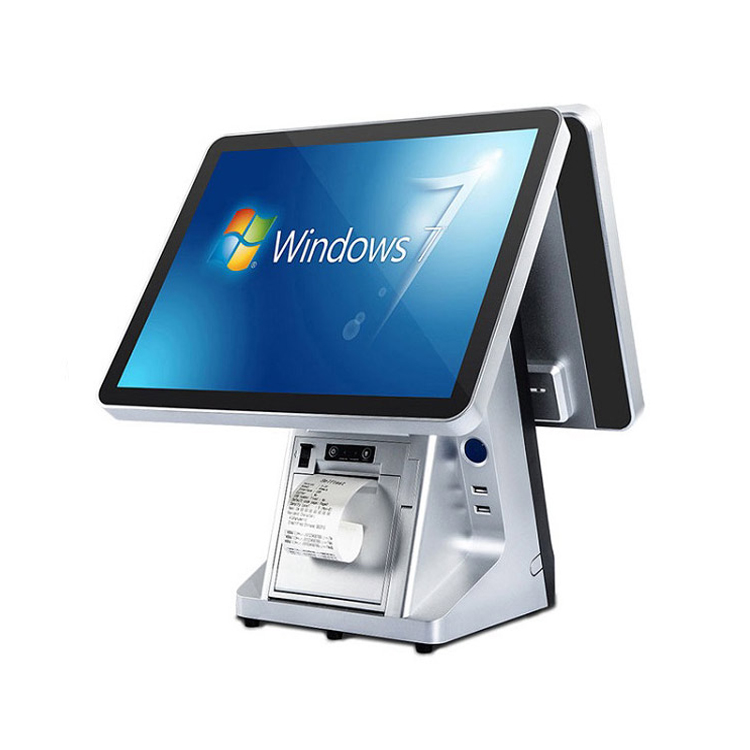
Show employees the touchscreen, scanner, printer, cash drawer, payment device, and any customer-facing display.
Explain what each device does and which problems employees are permitted to resolve.
Step 2: Demonstrate a Complete Transaction
A trainer should perform a representative sale from login to receipt output.
The demonstration should include product selection, payment confirmation, and transaction completion.
Step 3: Let Employees Practice Independently
Use a training environment or approved test transactions.
Employees should repeat normal checkout tasks without relying on step-by-step instructions.
Step 4: Simulate Common Exceptions
Practice situations such as:
·Barcode not recognized
·Printer out of paper
·Incorrect item entered
·Discount requiring approval
·Payment status uncertain
·Network interruption
·Cash drawer not opening
Use the documented procedures for the selected POS system.
Step 5: Verify Competency Before Independent Operation
Use a practical assessment rather than assuming attendance equals proficiency.

Common POS Problems Employees Should Know How to Handle
Basic troubleshooting should help employees restore routine operations safely and recognize when to request support.
The Barcode Scanner Beeps but the Product Does Not Appear
Check whether the application has the correct input focus and whether the scanner is sending the expected data.
If the barcode data appears but the product cannot be found, the issue may involve the product database or application configuration.
Don’t assume that every unsuccessful product lookup is a scanner failure.
The Receipt Printer Does Not Print
Check the printer status, paper roll, cover, and visible connection.
If a local printer test works but the POS application cannot print, report the application, driver, or communication problem to the responsible support team.
Do not repeatedly restart or reset the printer without recording the fault.
The Cash Drawer Does Not Open
Verify that the transaction has reached the approved stage and that the POS application has issued the expected drawer-opening command.
Check the connection according to the equipment instructions.
Manual release should be performed only by authorized personnel under the business's cash-handling policy.
The POS Screen Stops Responding
Check whether the application, touchscreen, or entire terminal is unresponsive.
Record the condition and follow the approved recovery process.
Avoid repeated restarts during an uncertain transaction without checking the transaction or payment status.
The Network Connection Is Lost
Employees should know whether the selected POS application supports an approved offline workflow.
Do not assume that all POS systems can accept payments or synchronize orders while disconnected.
If the application queues transactions or orders, confirm their final status before resubmitting them.
When Should Staff Escalate a POS Problem?
Escalate when:
·Payment status is uncertain.
·Transaction records may be duplicated or missing.
·A hardware fault persists after approved basic checks.
·Electrical or mechanical damage is suspected.
·A restricted setting or security function must be changed.
·Multiple terminals experience the same problem.
Record the device model, application version, error message, time, and actions already attempted.
How POS Hardware Affects Staff Training
POS training requirements depend partly on the physical equipment selected for the business.
A workstation that is difficult to operate or maintain may require additional training and technical support.
Touchscreen Size and Layout
Employees should be able to read transaction information and select controls accurately.
When evaluating POS terminals, test the actual application interface at the intended screen resolution.
Windows vs. Android POS Terminals
The operating system should match the supported application.
Windows-based and Android-based pos terminals may use different installation methods, device permissions, drivers, and peripheral interfaces.
Training materials should reflect the approved operating system and software configuration.
Integrated vs. Separate Peripherals
An integrated POS terminal may reduce the number of separate devices and cables at a workstation.
A modular configuration can make individual peripherals easier to replace or service.
The appropriate choice depends on the installation, maintenance plan, and software requirements.
Hardware Requirements for Staff-Operated POS Workstations
|
Hardware Requirement |
Why It Matters for Training |
|
Responsive touchscreen |
Employees can operate the intended interface reliably |
|
Supported scanner interface |
Barcode data reaches the correct application |
|
Compatible receipt printer |
Employees can produce expected receipts |
|
Accessible paper compartment |
Staff can replace paper using approved procedures |
|
Stable peripheral connections |
Fewer avoidable interruptions during transactions |
|
Clear device status indicators |
Easier identification of routine faults |
|
Documented restart and recovery |
Consistent response to common problems |
For distributors and system integrators, the hardware should be evaluated using the actual software and employee workflow before deployment.

FAQs About POS Skills

What are the four essential POS skills?
The four core skills are transaction processing, POS hardware operation and troubleshooting, customer service and exception handling, and security and shift reconciliation.
Is POS operation a hard skill?
Yes. POS operation includes practical technical tasks such as using checkout software, scanning products, printing receipts, and following transaction procedures. Custom communication and problem-solving are complementary skills.
Does MINJCODE provide POS employee training software?
No. MINJCODE specializes in POS hardware manufacturing. Employee training software, POS applications, and staff management functions must be provided by compatible third-party systems.
What should a business test before deploying POS hardware across multiple stores?
Test the actual POS application, touchscreen, barcode scanner, receipt printer, cash drawer, payment integration, network recovery, and employee workflows using an approved reference configuration.
Conclusion
POS proficiency has become a core competency for employees in the food service and retail industries. It serves not only as the foundation for enhancing daily operational efficiency but also as a key engine driving sustained business growth. Whether it involves basic system operations, extracting data insights, improving customer service, or strengthening security awareness, the continuous refinement of each capability delivers tangible value to enterprises. As the pace of industry digitalization accelerates, continuously honing POS skills, keeping pace with system updates and management trends, and creating superior consumer experiences for customers will ultimately enable the achievement of long-term business development goals.
Phone: +86 07523251993
E-mail: admin@minj.cn
Official website: https://www.minjcode.com/
Discuss Your POS Hardware Project with MINJCODE
Employee POS skills are most effective when staff are trained on hardware and software that have already been tested together.
For distributors, POS software providers, system integrators, and multi-location procurement teams, MINJCODE supplies commercial POS hardware with model-dependent OEM/ODM customization options.
If You Are in Business, You May Like


Recommend Reading
Post time: Nov-12-2025