
Elevate Your Business Operations with Our Wireless Thermal Receipt Printers - Top Manufacturer in China
Our Wireless Thermal Receipt Printers offer convenience and efficiency for your business needs. With wireless connectivity, you can easily print receipts from various devices, enhancing the customer experience and streamlining your operations. Whether you require a compact printer for point-of-sale applications or a versatile solution for your business, we have the printer to meet your needs.
As a trusted manufacturer in the industry, we are dedicated to providing top-notch Wireless Thermal Receipt Printers that are both reliable and high-performing. Our printers are designed to optimize your receipt printing process and ensure clear, crisp receipts every time.
Choose us as your preferred partner for all your Wireless Thermal Receipt Printer needs. Contact us today to explore our product range and discover how our printers can enhance your business operations. Trust us to deliver quality Wireless Thermal Receipt Printers tailored to your requirements.
MINJCODE factory video
We are a professional manufacturer dedicated to producing high-quality wireless thermal printer Our products cover thermal printer of various types and specifications. Whether your needs are for retail, medical, warehousing or logistics industries, we can provide you with the perfect solution.
In addition, the professional technicians in our team pay great attention to the performance of the printer, and constantly upgrade and innovate to meet the changing needs of customers. We are committed to providing the best service and support to ensure that every customer has the best experience possible.
What are the advantages of wireless thermal printers over traditional wired printers?
1. Portability: Wireless thermal printers are usually lighter and smaller because there are no complicated cables or wires to connect. This makes them ideal for mobile offices and ad-hoc events, where users can easily carry and print anywhere, anytime.
2. Flexibility: With a wireless connection, users are not limited by the range of a wired connection and are able to print more freely in the office, conference room, at a client site or at an event. This flexibility makes it easier for users to respond to various work scenarios and needs.
3. Efficient and fast printing: wireless thermal receipt printers can usually complete a print job in a few seconds, instantly printing the required documents, greatly improving the efficiency of mobile office work.
Hot Models
| Products | MJ5808 | MJ5890 | MJ5803 | MJ5860 | MJ8001 |
| Picture | 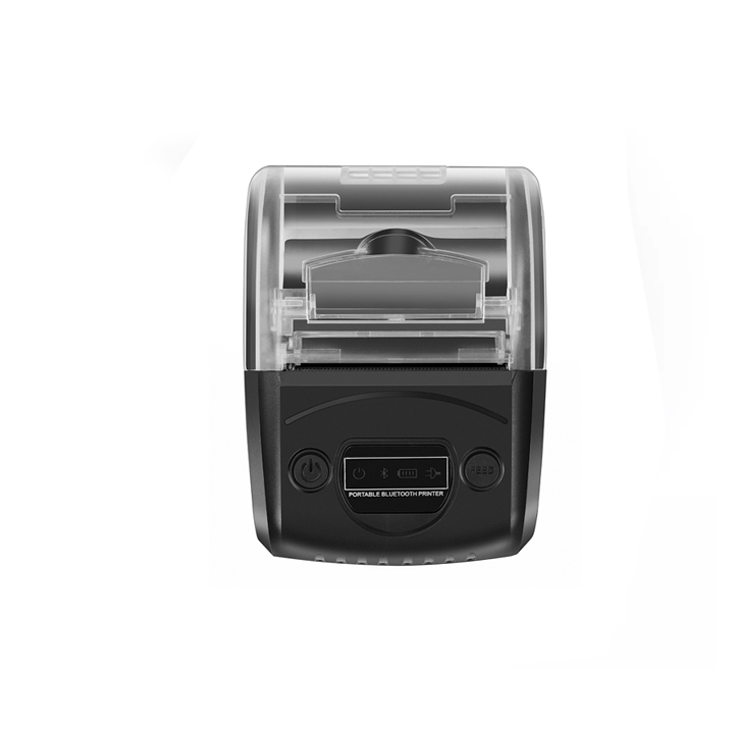 |
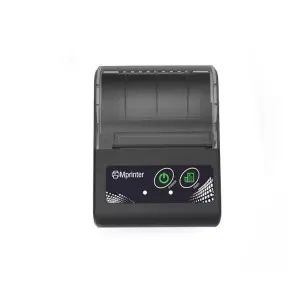 |
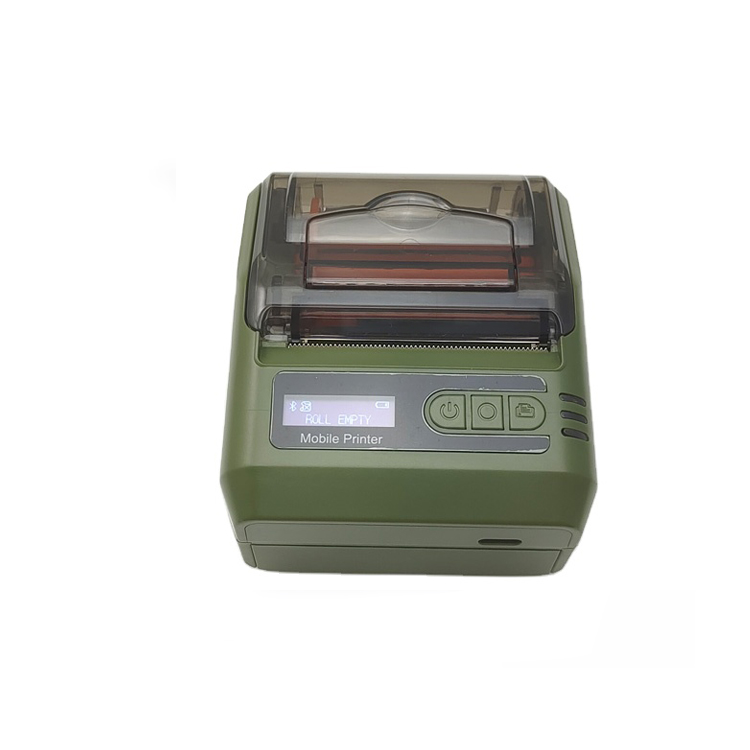 |
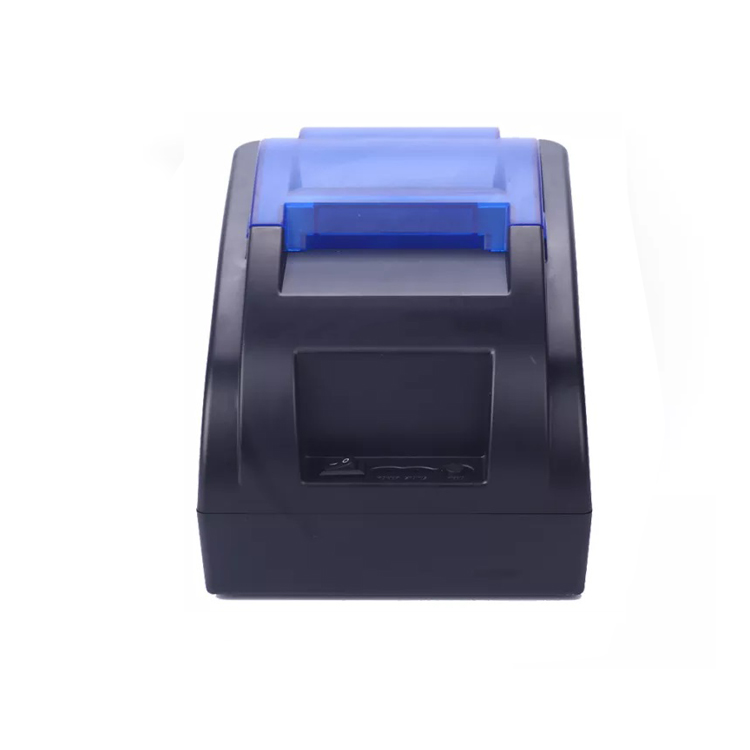 |
 |
|
Interface |
USB+Bluetooth |
USB+Bluetooth |
USB+Bluetooth |
USB+Bluetooth |
USB+Bluetooth |
|
Speed |
80mm/s | 60mm/s | 90mm/s |
90mm/sec |
90mm/sec |
| Printing Width | 48mm | 48mm | 48mm | 48mm | 72mm |
|
Battery |
1500mAh |
1500mAh |
1500mAh |
- |
2400mAh |
| Color |
Black |
Black |
Green |
Black |
White |
|
Printer Technology |
Thermal Direct |
Thermal Direct |
Thermal Direct | Thermal Direct | Thermal Direct |
If you have any interest or query during the selection or use of any wireless thermal printer, please Click the link below send your inquiry to our official mail (admin@minj.cn) directly! MINJCODE is committed to the research and development of bar code scanner technology and application equipment, our company has 14 years of industry experience in the professional fields, and has been highly recognized by the majority of customers!
What are the advantages of wireless thermal printers over traditional wired printers?

Wireless Thermal Printer Reviews
Lubinda Akamandisa from Zambia:Good communication, ships on time and product quality is good. I recommend the supplier
Amy snow from Greece:very good supplier that is good at communication and ships on time
Pierluigi Di Sabatino from Italy:professional product seller received great service
Atul Gauswami from India:Supplier commitment she full full in a time and very good approached to customer .quality is really good .i appreciate work of team
Jijo Keplar from United Arab Emirates:Great product and a place where customer requirement is completed.
angle Nicole from United Kingdom:This is a good purchasing travel, I got what I expired. That is it. My clients give all “A” feedback, thinking I would order again in the near future.
Wireless Thermal Printer Solutions
1.Customer Pain Point Analysis
1.1 Customers face problems with traditional printing methods in terms of business convenience. Traditional wired printers have usage limitations that affect customers' printing convenience and efficiency. To solve this problem, wireless thermal printers become the perfect solution to meet customers' business needs and improve efficiency and convenience.
1.2 It is a common problem that customers can't conveniently print documents at the party or meeting place. Traditional printing methods require connecting to a computer and searching for a printing device, and the cumbersome steps make customers feel inconvenienced. However, the advent of wireless receipt printers factory provides a perfect solution for customers. By simply connecting wirelessly, customers can print from anywhere at any time, greatly improving the convenience of work and life.
2.Solution
2.1 WiFi/Bluetooth connection
Thermal printer wireless is ideal for business convenience. It connects via WiFi or Bluetooth to get rid of wired bondage and make printing more convenient. This wireless connection meets customers' needs for flexibility and efficiency, making it the perfect solution to business printing problems.
2.2 Mobile APP control, easier operation
Wireless thermal printer supplier provides convenient wireless connection so that customers can more easily connect the device to the printer. With mobile APP control, operation becomes easier and users can conveniently control the operation of the printer anytime and anywhere to improve work efficiency. This solution meets business needs and provides customers with a more convenient printing experience.
2.3 Fast Printing and Time Saving
The efficient printing experience of wireless thermal printers allows customers to complete printing tasks quickly and save valuable time. Its fast printing speed can meet the needs of business offices and improve work efficiency.
Have a Special Requirement?
Have a Special Requirement?
Generally, we have common thermal receipt printer products and raw materials in stock. For your special demand, we offer you our customization service. We accept OEM/ODM. We could print your Logo or brand name on thermal printer body and color boxes. For an accurate quotation, you need to tell us the following information:
User Cases
Retail Industry: In XX retail stores, thermal wireless printers are used to print price labels and promotional tags, resulting in improved product information display, increased effectiveness of promotional activities, and a significant increase in sales.
Logistics industry: ABC Logistics has been more successful in using wireless thermal printers to print courier labels and bills of lading. The use of this technology has improved distribution efficiency and accuracy, significantly reduced the number of wrong shipments, and significantly improved customer satisfaction.
Medical industry: The hospital pharmacy successfully implemented wireless thermal printers to print medication labels and prescriptions, effectively improving the efficiency and accuracy of medication management and ensuring patient medication safety.
Hotel Industry: A high-end hotel actively adopts wireless thermal printers to print room service lists and bills, which greatly enhances the customer experience, simplifies the billing process, and effectively improves the hotel's service level.
Fast Food Industry: A fast food chain implemented wireless thermal printers to print orders and food labels and achieved remarkable results. The move reduces the time customers spend waiting in line, improves service efficiency and greatly increases customer satisfaction.

FAQs for Portable Thermal Printer
Users can use Bluetooth or Wi-Fi to connect directly to a wireless thermal printer for quick printing operations.
The vast majority are powered by internal batteries.
Yes, thermal printers wear out over time. The print head and other components, such as the platen roller and motor, can wear out, resulting in reduced print quality or complete failure.
Within appropriate limits, continuous printing from wireless thermal printers usually does not affect print results.
The warranty period for wireless thermal printers varies by manufacturer and model, MINJCODE's warranty period is 1 year.
Depending on your usage scenario, select features such as print speed, print quality, and connection method to determine the most suitable wireless thermal printer.
The vast majority of wireless thermal printers support common operating systems, including Windows, iOS, and Android.
Wireless thermal printers are suitable for retail, food and beverage, healthcare, and other industries that require mobile printing solutions.
Maintenance
Cleaning the print head: Regular use of professional print head cleaning rod or paper for print head cleaning, to ensure that the surface of the print head is clean, to avoid dust or ink residue affect the printing effect.
Paper cleanup: clean up the paper shavings, dust and residue in the printer to avoid affecting the normal operation of the printer, pay special attention to the printer feed channel is clean.
Maintain ventilation: Ensure a well-ventilated environment around the printer to avoid dust and dirt accumulating on the surface and inside the printer, affecting the printer's performance.
Touchscreen cleaning: For printers with touchscreens, clean the touchscreen regularly with a clean, soft cloth to avoid fingerprints or stains that could affect the operation and display of the touchscreen.
Energy Conservation: It is recommended that the device be turned off when not in use for extended periods of time to conserve energy and also to help extend the life of the device.


